Heraldry Guide: Learn the Basics and Create Your Crest
Use this heraldry guide to understand crests, choose symbols, and plan an original design. Follow practical tutorials and start making your own coat of arms.
Last updated:
Heraldry brings shields, colors, and symbols together in a recognizable design. You can borrow that visual language for an original family project, a fictional house, or a personal emblem. Historical arms and modern creative designs serve different purposes; choose the path that matches yours.
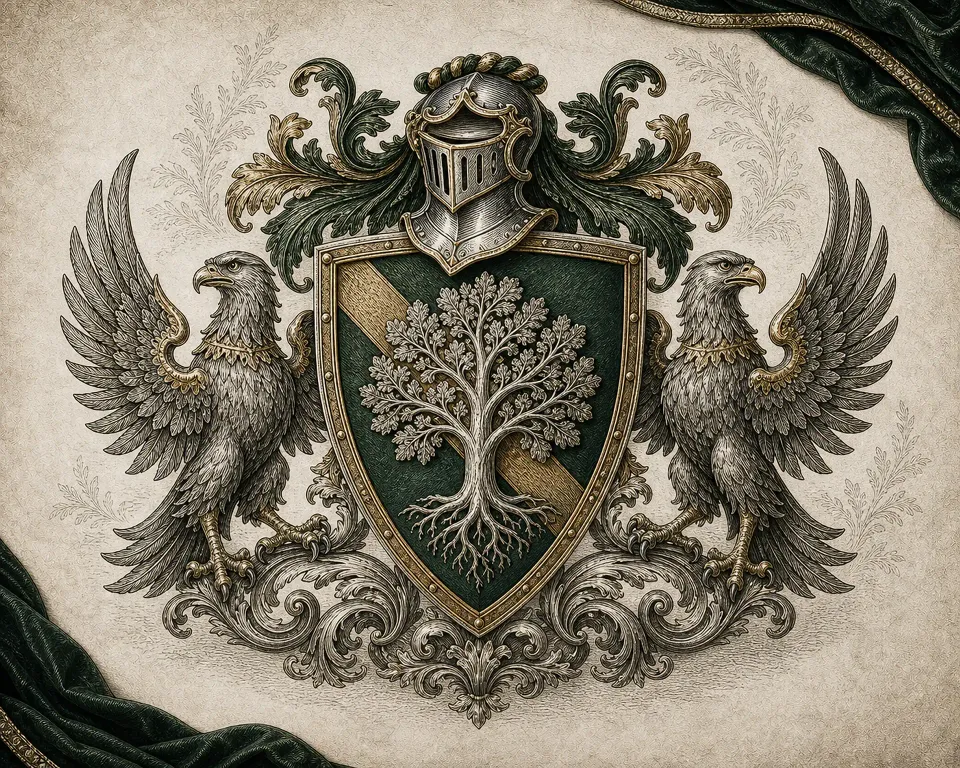
Try these visual choices in the coat of arms maker on our homepage as you work through the guide.
New to the terminology?
Start with family crest vs coat of arms. Learn why a crest is one part of a heraldic achievement, why everyday usage is broader, and why a surname is not enough to identify inherited arms. This is the best first read if you are deciding between creating a new design and researching an existing one.
Ready to make an original design?
Follow how to make a coat of arms. The guide walks through purpose, a dominant symbol, colors, composition, a creative brief, and a final review. It includes a worked family example you can enter into the maker.
Choose your starting point
- Family crest maker: start with shared values and a household story, then review the description before generating.
- Coat of arms maker: go directly to shield, color, symbol, pattern, supporter, and style controls for a family, team, or fictional setting.
Both tools produce original digital images using the same generation service. New accounts receive 30 complimentary credits valid for 30 days; each Standard generation costs 10 credits and each HD generation costs 30. See credit and output details before generating.
Looking for historical records?
Armsmith does not provide surname searches or authenticate inherited arms. For research, begin with the relevant heraldic authority and evidence about the particular person or family line. The College of Arms resources explain why its records are not a surname-based online database. The Court of the Lord Lyon is the starting point for Scottish heraldic enquiries.
Use this guide as a design companion
Keep your first design simple enough to recognize at a small size. Add complexity only when it strengthens your story. After generating, compare the result with your brief rather than assuming the model followed every instruction. A pleasing image is a starting point for your own review, not historical evidence.
Heraldry guide: a small working vocabulary
You do not need to memorize a specialist dictionary before you begin. Start by distinguishing the main parts you can see in an image, then use the terminology guide above when you need more context. The following terms help you describe a creative brief with fewer ambiguities.
Shield and field
The shield is the central shape carrying the design. Its field is the background on which the main symbol appears. In the maker, shield shape and pattern are separate controls: changing a heater-shaped outline to a round one does not automatically change the field's divisions. Keep those choices simple in your first attempt so you can see which change actually improves the composition.
Charge and crest
A charge is a figure or device in a heraldic design. For the tool's creative workflow, the central symbol is your dominant visual choice. A crest is a distinct element above the helmet in a traditional achievement; it is not a synonym for every symbol or for the entire illustration. Our terminology article explains how everyday “family crest” searches differ from that narrower usage.
Supporters and motto
Supporters are the figures beside a shield in a composition. A motto is accompanying wording. When designing here, think of the surrounding figures as part of the overall visual balance, and treat a supplied motto as creative guidance. The current generator cannot guarantee precise lettering. If a short phrase must be correct on the final artwork, inspect it carefully before using the image.
A practical reading and making session
First, decide whether you want new artwork or historical information. If you are making something original, write a sentence about its purpose before opening the controls. Next, read the worked tutorial and choose a main symbol, palette, and uncomplicated field. Use the family maker when household values and a personal story are the starting point; use the general maker when you already know the visual choices you want to try.
Before submitting, check that the description agrees with the controls and that the displayed credit cost fits your balance. After generating, compare the result against the sentence you wrote at the beginning. If you want to revise it, name one concrete issue: a crowded field, an unclear silhouette, unexpected letters, or a symbol that no longer feels relevant. A focused revision is easier to judge than asking for everything to change at once.
What this guide can and cannot settle
These pages explain Armsmith's creative process and introduce terminology. They do not certify that an image follows every rule of a particular heraldic tradition or establish anyone's entitlement to existing arms. For formal research, use the authorities linked above and retain the sources behind any claim. For creative work, use this guide to make your instructions clearer and your own review more deliberate.
Turn your ideas into a coat of arms
Return to the homepage maker to choose a shield, colors, and symbols, then shape your own creative brief.
Create on the homepage